Mantash Expense ManagerKnow where every rupee goes.

An expense and income tracker for small businesses. Log every payment in seconds, watch budgets in real time, chase unpaid invoices and see your profit at a glance, on any phone or computer.

  • Runs in any browser
  • Installs on your phone
  • Private to your account
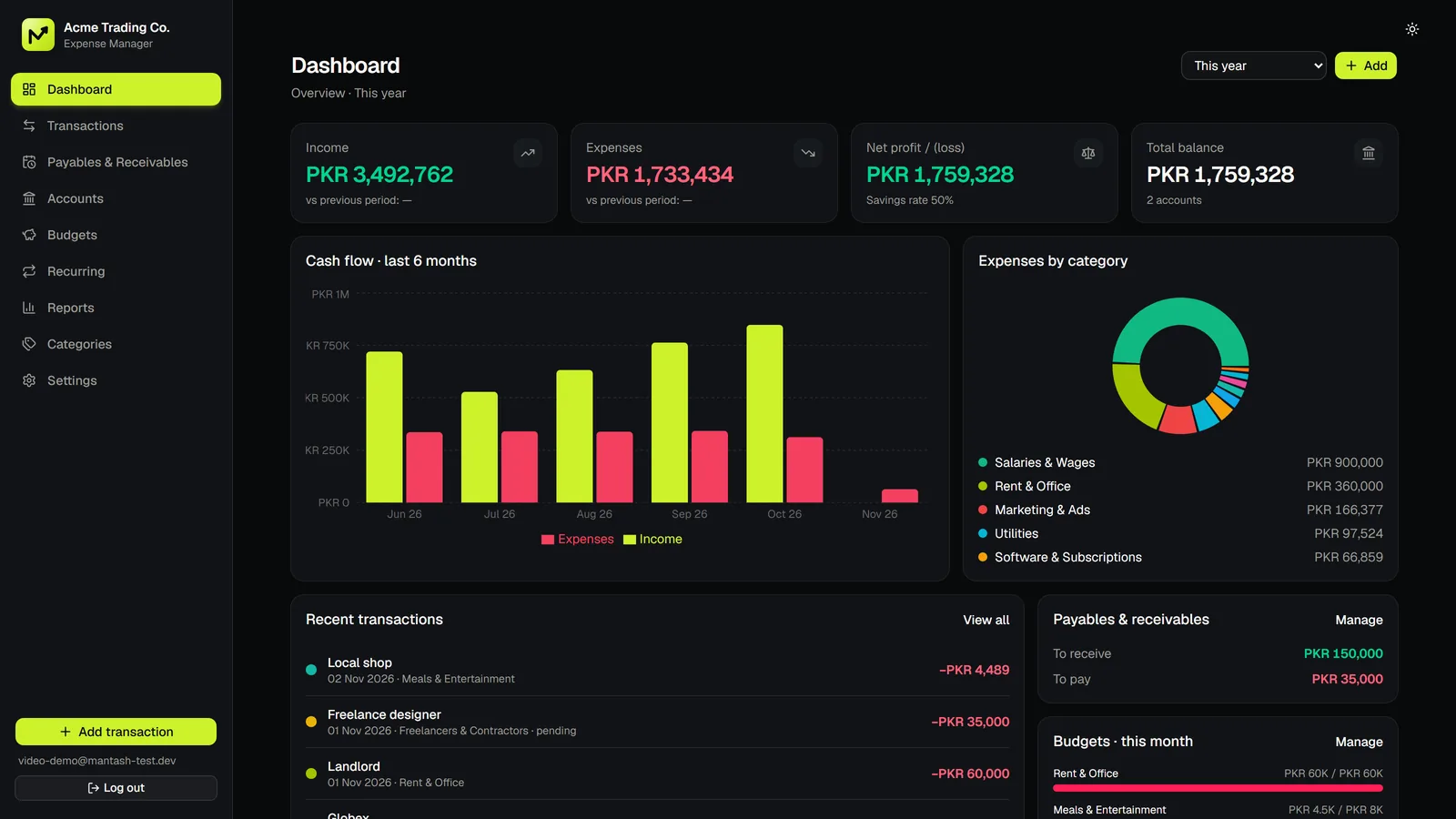
Mantash Expense Manager dashboard in dark mode showing income, expenses, net profit, cash flow and spending by category
Screenshot of the Mantash Expense Manager dashboard with sample data.

What it is

Your business money, finally under control.

Mantash Expense Manager is a web-based expense and income tracker built by Mantash Innovations for freelancers, agencies, shops and small teams. It records transactions across cash, bank, card and wallet accounts, tracks budgets, recurring payments and unpaid bills, and turns it all into live profit-and-loss reports.

Product
Mantash Expense Manager
Category
Business expense and income tracking software
Works on
Any modern browser, plus installable on Android, iPhone and desktop as an app
Currencies
PKR, USD, EUR, GBP, AED, SAR, INR, CAD and AUD
Accounts
Cash, bank, card, wallet and other, each with its own balance
Your data
Stored in your own private account, never mixed with anyone else's
Built by
Mantash Innovations, Sambrial, Sialkot, Pakistan

The problem

Why spreadsheets and receipts fail small businesses

  • Receipts.
  • Spreadsheets.
  • Guesswork.

Your business deserves better.

If you can't answer “where did the money go?” in five seconds, you're losing it.

Paper receipts get lost. Spreadsheets break the moment someone sorts a column. And nobody tells you that marketing is over budget until the month has ended. Mantash Expense Manager keeps one live record, so the answer is always a glance away.

How it works

One tool for every rupee in your business.

01 · DASHBOARD

Income, expenses, profit and balance. Live.

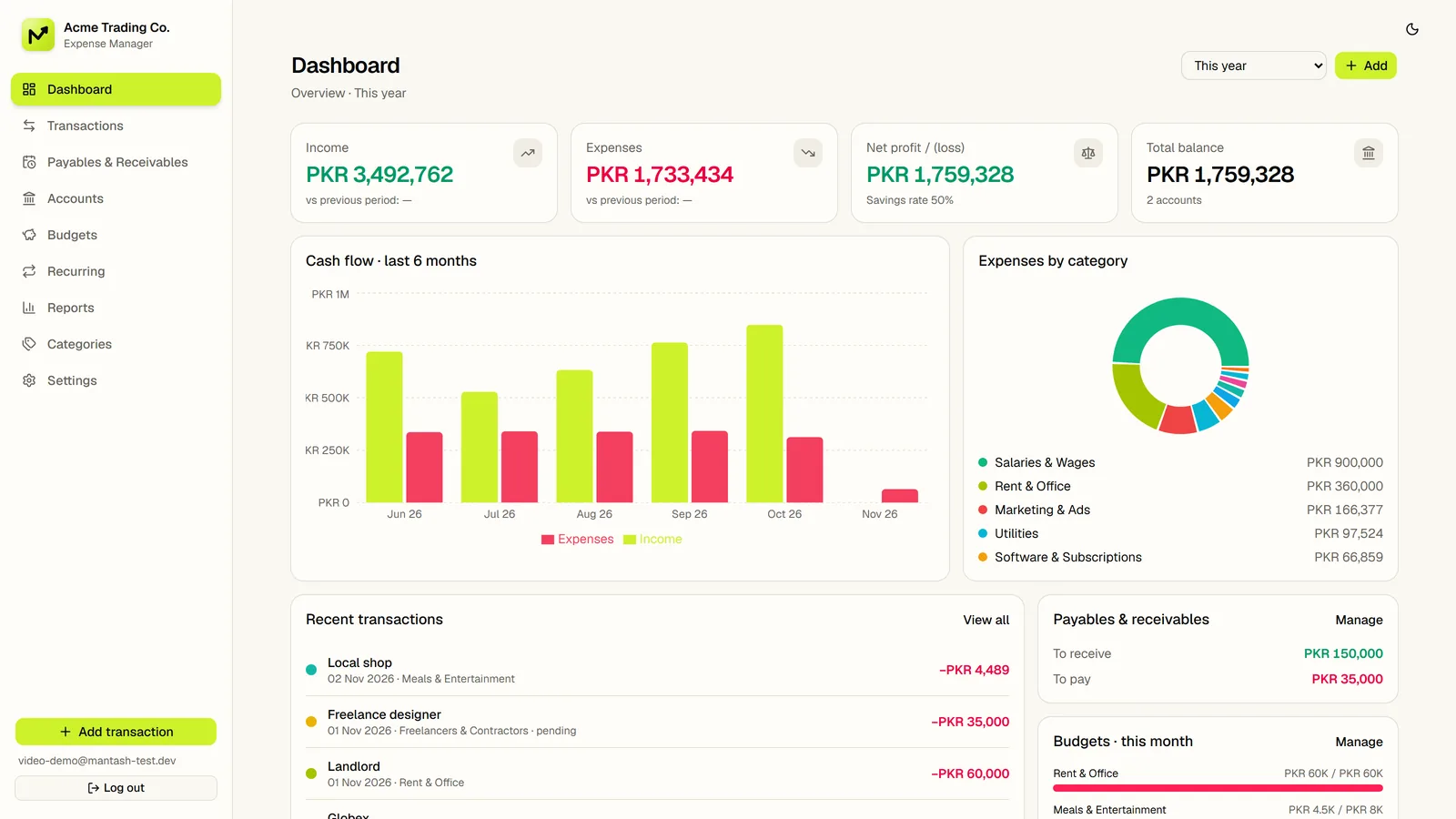
Open the app and see where the business stands: income, expenses, net profit, savings rate and total balance, with a six-month cash-flow chart and spending by category.

  • Cash flow chart
  • Savings rate
  • Category breakdown
Mantash Expense Manager dashboard in light mode showing income, expenses, profit and cash flow
02 · ADD

Log any expense in seconds.

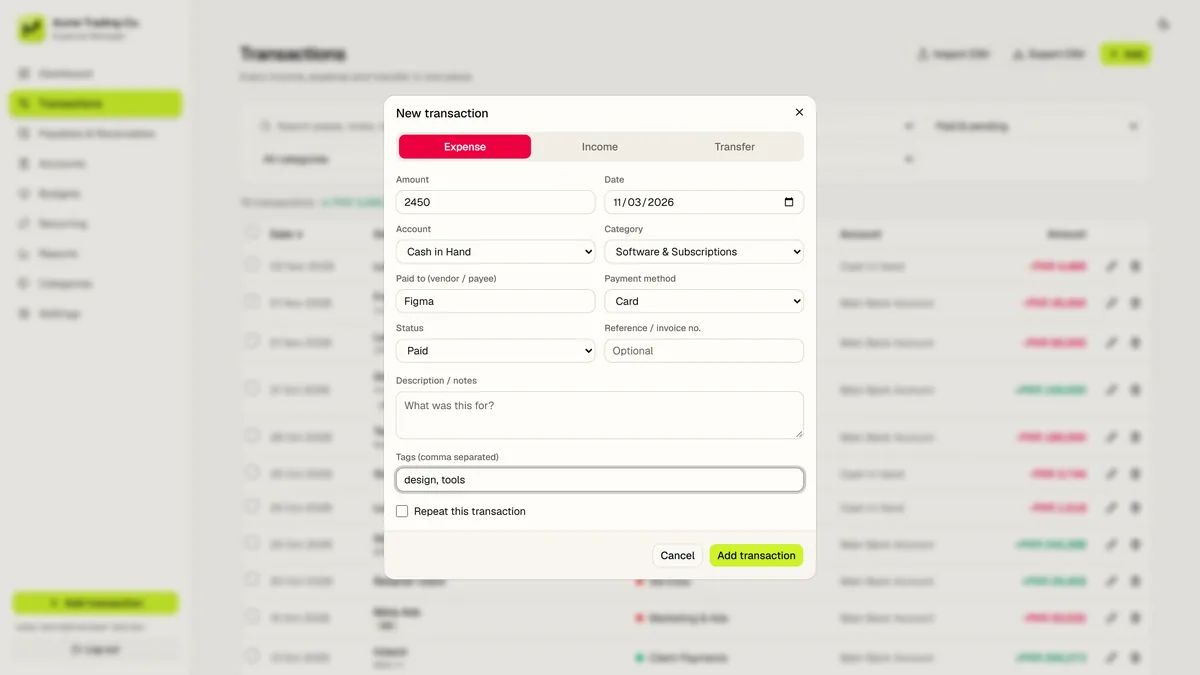
Pick the account and category, add the payee, notes and tags, and save. Need it every month? Turn it into a recurring rule and the app posts it for you.

  • Categories & tags
  • Payee & reference
  • Repeat automatically
Add transaction dialog in Mantash Expense Manager with category, notes, tags and recurring option
03 · ACCOUNTS

Cash, bank, cards and wallets. One clear balance.

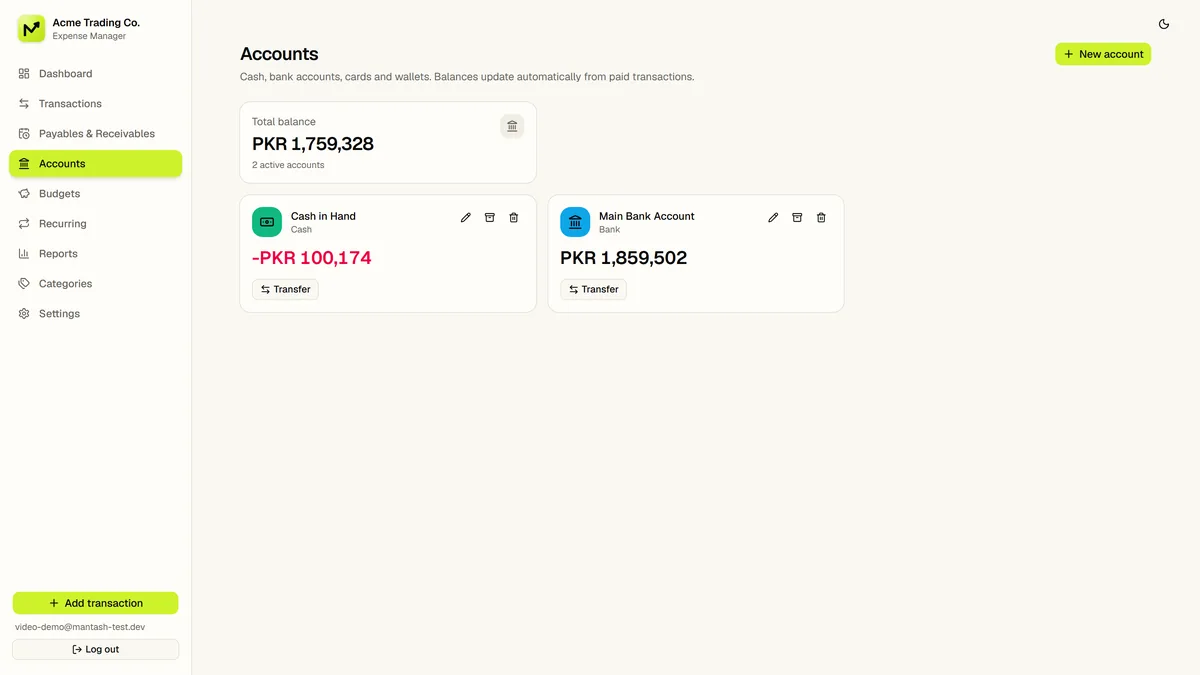
Create an account for every place money lives, set opening balances and move money between them with transfers. Each account keeps its own running balance.

  • Transfers
  • Opening balances
  • Archive, keep history
Accounts screen in Mantash Expense Manager showing cash, bank, card and wallet balances
04 · BUDGETS

Get warned before you overspend, not after.

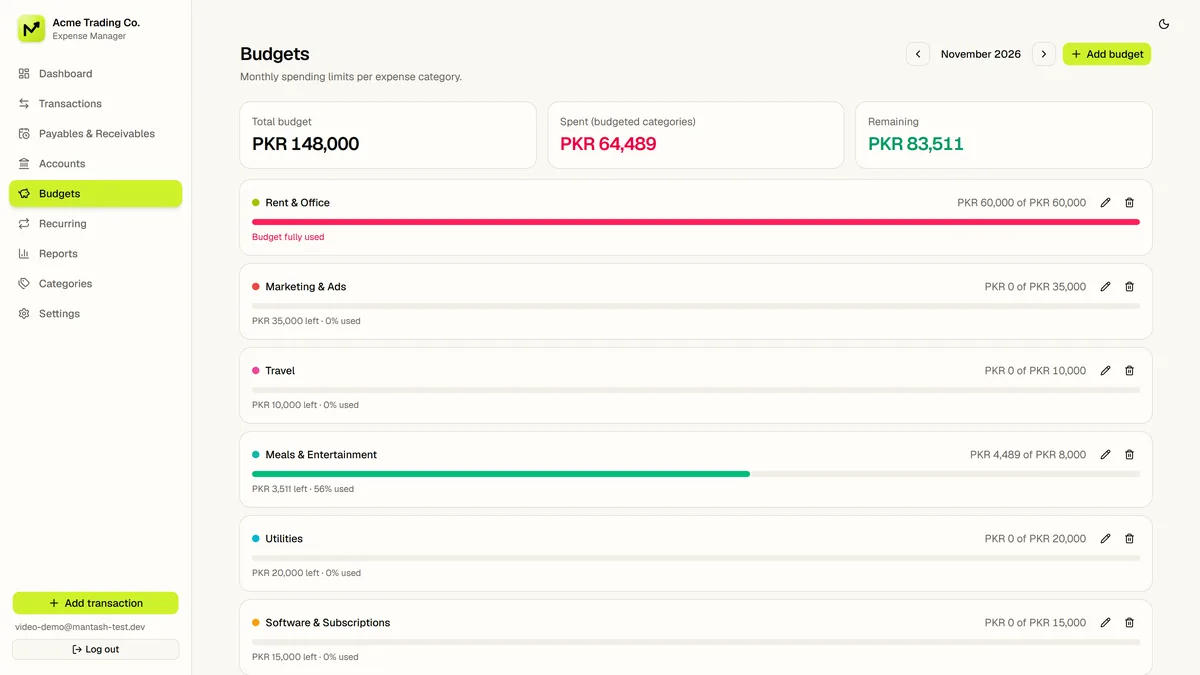
Set a monthly limit for any category. Progress bars show what is left, and the app tells you plainly when a budget is fully used or exceeded.

  • Monthly limits
  • Progress bars
  • Over-budget alerts
Budgets screen in Mantash Expense Manager with monthly category limits and progress bars
05 · PAYABLES & RECEIVABLES

Know who owes you, and what you owe.

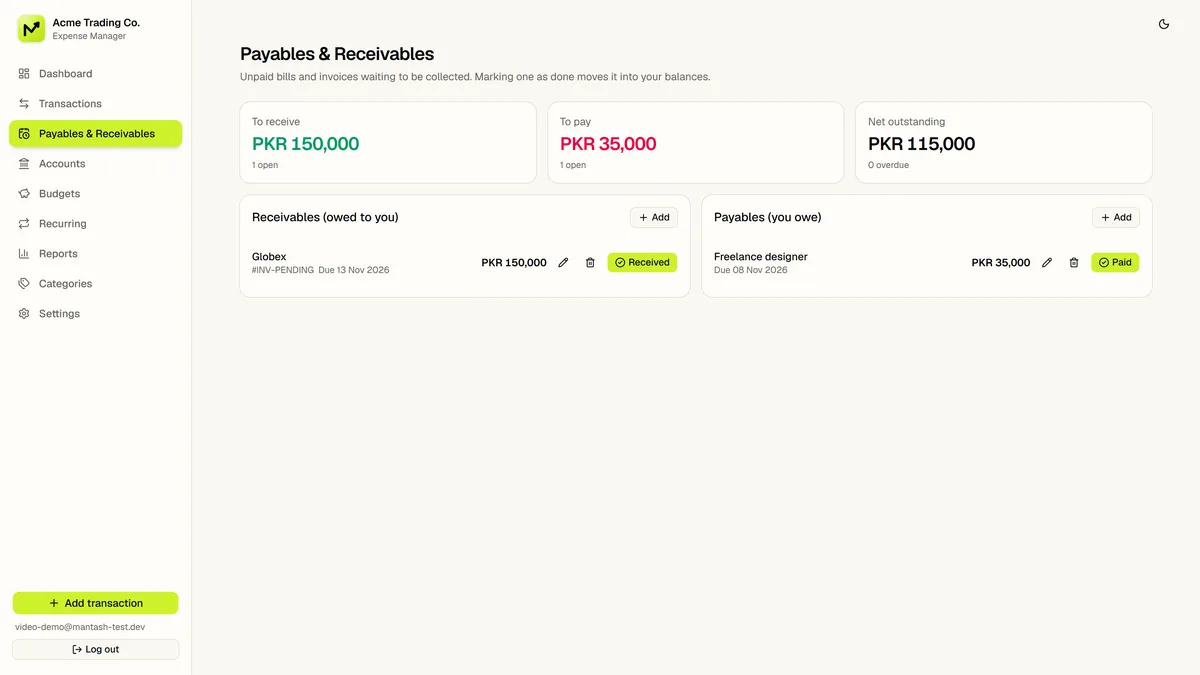
Mark a transaction as pending with a due date and it appears in your receivables or payables. When it is settled, mark it paid in one tap and it moves into your balances.

  • Due dates
  • Owed to you
  • One-tap paid
Payables and receivables screen in Mantash Expense Manager listing unpaid bills and invoices
06 · REPORTS

Profit and loss, top clients, top vendors.

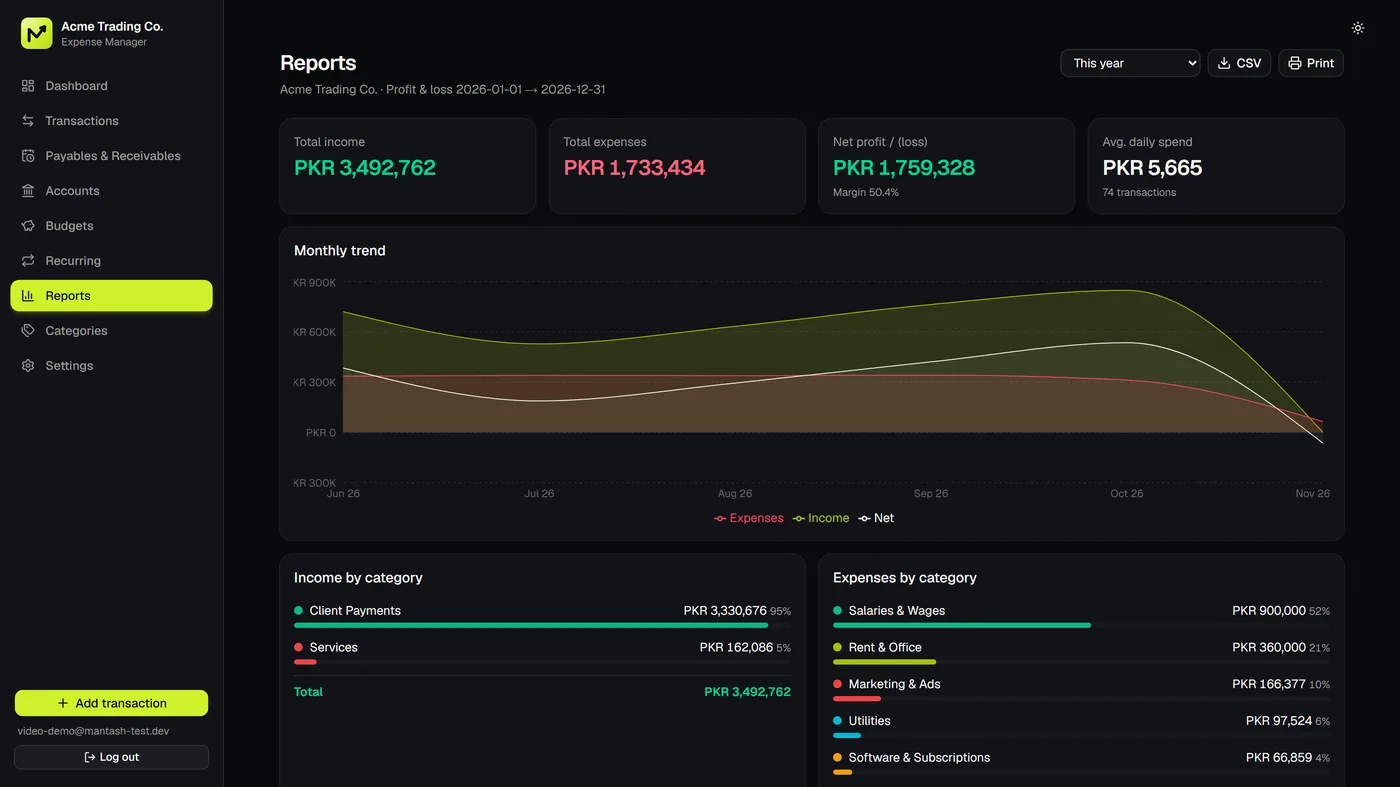
Pick any period and see income and expenses by category, your best clients, your biggest vendors and spending by account. Export the data to CSV when your accountant asks.

  • Profit & loss
  • Top clients
  • CSV export
Reports screen in Mantash Expense Manager with income and expense by category, top clients and vendors

Fast entry

Every payment, recorded before you forget it.

Seventeen expense and seven income categories come ready-made, so a new transaction is a few taps: amount, account, category, done. Add your own categories, tags and notes whenever you need more detail.

  • 24 starter categories
  • Tags & notes
  • Payee & payment method
  • Search & filters
Total balancePKR 1,759,328
+ Add transaction

Animated example with sample data.

Reports

Numbers that explain themselves.

Six-month cash flow, spending by category and profit, drawn for you. Nothing to build, no formulas to break.

Cash flow · last 6 months

Income against expenses, month by month (sample data)

JunJulAugSepOctNov
IncomeExpenses

Expenses by category

Where the money went (sample data)

  • Salaries & WagesPKR 900,000
  • Rent & OfficePKR 360,000
  • Marketing & AdsPKR 166,377
  • UtilitiesPKR 97,524
  • SoftwarePKR 66,859
0currencies, including PKR, USD and AED
0ready-made income and expense categories
0account types: cash, bank, card, wallet, other
0repeat options: daily, weekly, monthly, yearly

Everything included

Features that match how a small business actually works.

01

Multiple accounts

Cash in hand, bank accounts, cards and wallets, each with its own balance and transfers between them.

02

Categories, tags and notes

Twenty-four starter categories you can rename, plus tags, payee, payment method and reference numbers.

03

Monthly budgets

A limit per category with progress bars that show what is left or how far over budget you are.

04

Recurring transactions

Daily, weekly, monthly or yearly rules for rent, salaries and subscriptions, posted on each due date.

05

Payables and receivables

Track unpaid bills and invoices with due dates, then mark them paid in one tap.

06

Reports

Profit and loss, income and expenses by category, top clients, top vendors and spending by account.

07

CSV import and export

Bring in existing records from a CSV file and export your data any time, plus backup and restore.

08

Undo for mistakes

Deleted something by accident? Undo it straight away. Destructive actions ask you to confirm first.

09

Nine currencies

PKR, USD, EUR, GBP, AED, SAR, INR, CAD and AUD, formatted correctly for each.

10

Light and dark themes

Switch themes with one tap. The app follows your device setting by default.

11

Install like an app

Add it to your home screen on Android, iPhone or desktop and open it like any other app.

12

Private by design

Every account has its own separate data, protected by row-level security in the database.

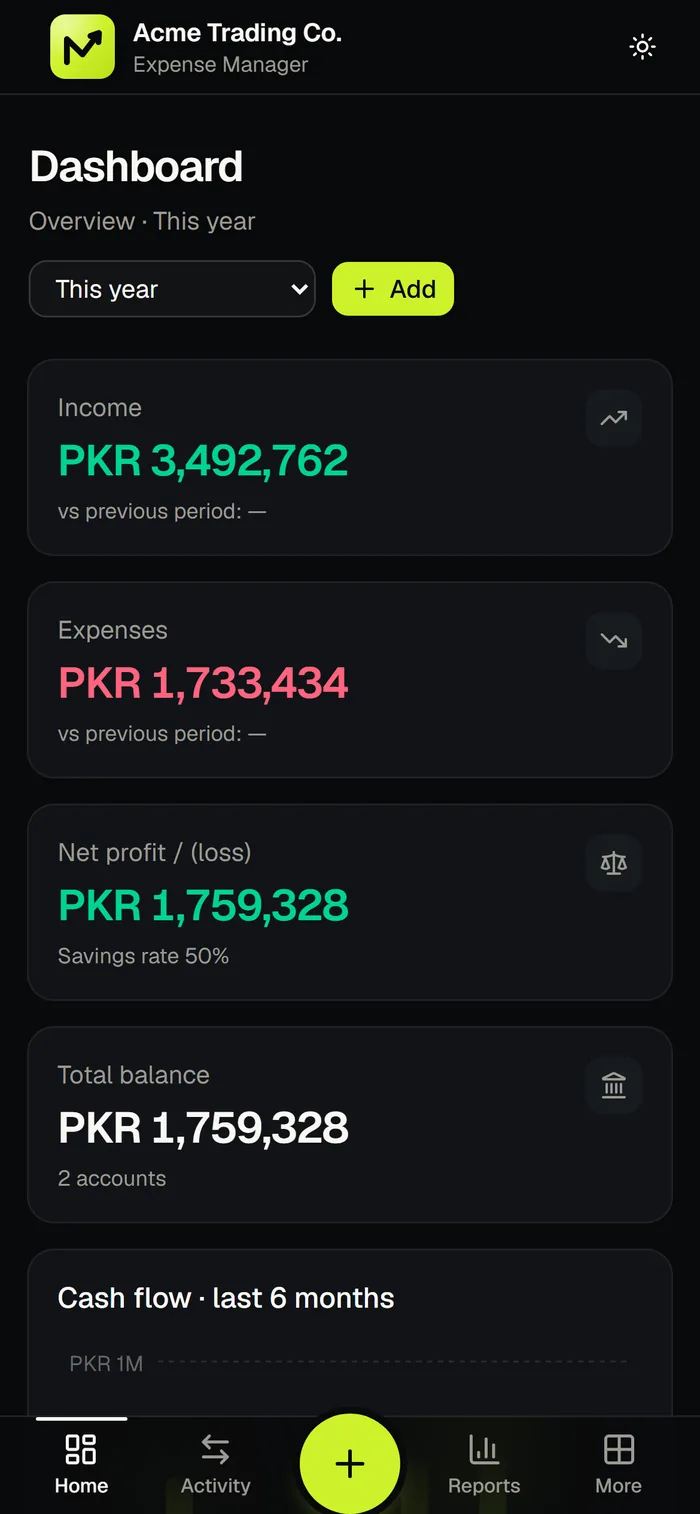
Mantash Expense Manager dashboard on a phone in dark mode showing income, expenses and total balance
Dashboard
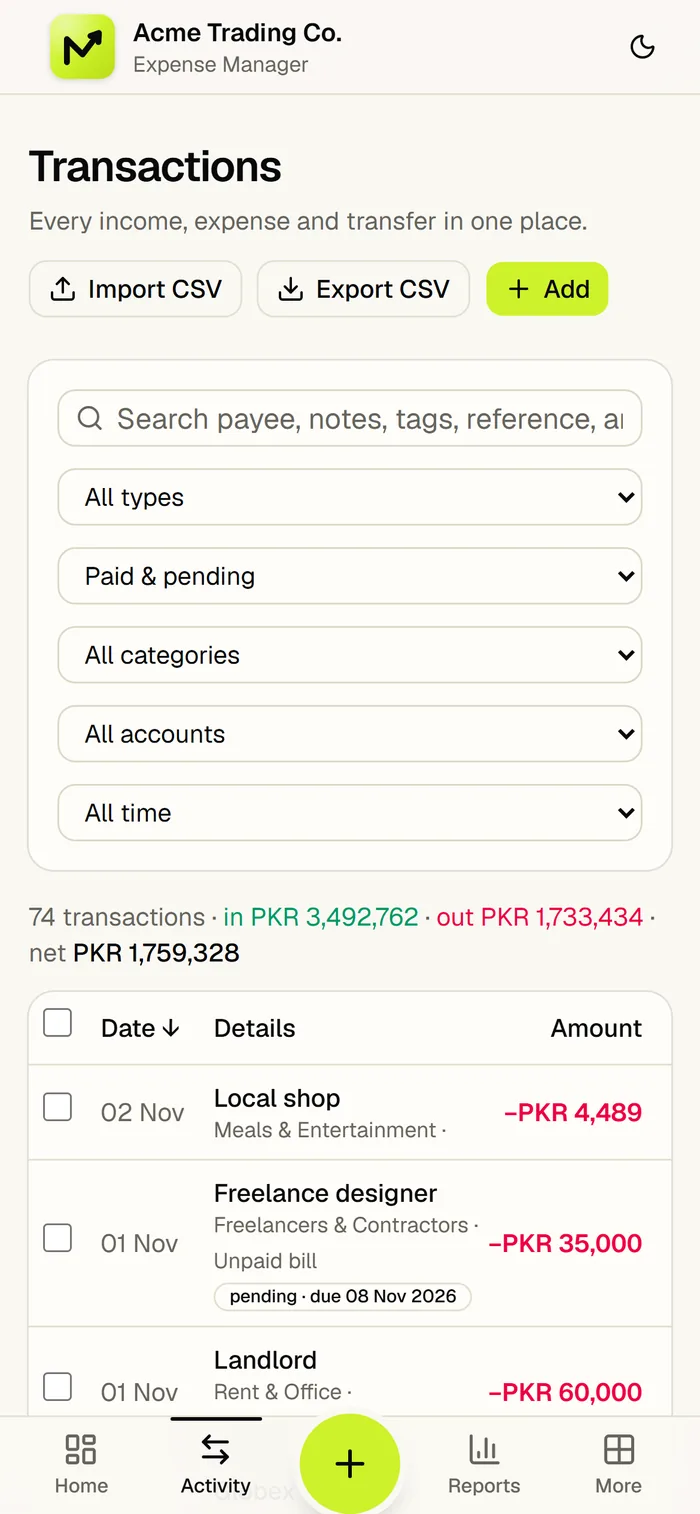
Transactions list in Mantash Expense Manager on a phone in light mode with search, filters and CSV import
Transactions

On your phone

An expense tracker app for your phone.

Mantash Expense Manager is a progressive web app (PWA), so it works like an expense tracker app on Android and iPhone without an app store. Open it in your browser, add it to your home screen and log expenses wherever you are. The same data shows on every device.

  1. Android (Chrome): open the app, tap the ⋮ menu, then choose “Install app” or “Add to Home screen”.
  2. iPhone (Safari): open the app, tap the Share button, then choose “Add to Home Screen”.
  3. Computer (Chrome or Edge): click the install icon in the address bar to open the app in its own window.

Product demo

See it in 72 seconds.

Poster for the Mantash Expense Manager product demo video
Read the video transcript

Where did your money go this month? If you can't answer in five seconds, you're already losing it. Receipts. Spreadsheets. Guesswork. Your business deserves better. Meet Mantash Expense Manager. Your money, finally under control. One dashboard: income, expenses, profit and balance, live, at a glance. Log any expense in seconds. Pick a category, add notes and tags, or repeat it automatically. Cash, bank, cards and wallets: every account, one clear balance. Set a budget and get warned before you overspend, not after. Know who owes you, and what you owe, and mark it paid in one tap. Profit and loss, top clients, top vendors, exported in one click. Deleted something by mistake? Undo it instantly, and your data stays private, locked to your own account. Light or dark, it switches beautifully. Install it on your phone and run your numbers from anywhere. Stop guessing. Start knowing.

Compared

Mantash Expense Manager vs. spreadsheets and paper.

What you needMantash Expense ManagerSpreadsheetPaper receipts
Live profit and balanceUpdated automatically as you add transactionsOnly if you build and maintain the formulasManual totals at month end
Budget warningsProgress bars and over-budget alerts per categoryManual conditional formattingNone
Recurring paymentsRules post rent and subscriptions on scheduleCopy and paste each monthEasy to forget
Unpaid bills and invoicesPending items with due dates, one tap to mark paidExtra columns to maintainLost in a drawer
Use on your phoneInstallable app, same data everywhereClumsy on small screensCarry the paper
Recover from mistakesUndo deletes instantlyVersion history, if enabledNot possible
Reports for your accountantProfit and loss, top clients and vendors, CSV exportBuild pivot tables yourselfRetype everything

Who it's for

Built for people who run the business and the books.

Freelancers and solo founders

Keep client payments, software subscriptions and taxes in one place and know what you really earned this month.

Agencies and studios

Track salaries, contractors and tools against budgets, and see which clients bring in the most.

Shops and traders

Record cash and bank sales, supplier payments and rent, and follow up on what customers still owe.

Startups and small teams

Replace the shared spreadsheet with one clear record of spending, budgets and balances.

Get started

Up and running in three steps.

No setup call and no spreadsheet to import. You can start with your own numbers or explore with built-in sample data first.

  1. Create your account. Sign up with your email address. Cash in Hand and Main Bank Account are created for you, along with your starter categories.
  2. Add your accounts and first transactions. Enter opening balances, then log income and expenses, or import a CSV.
  3. Set budgets and check the dashboard. Add monthly limits, create recurring rules and open Reports whenever you need the full picture.

FAQ

Questions, answered.

Can't find what you need? Ask us directly.

What is Mantash Expense Manager? +

Mantash Expense Manager is a web-based expense and income tracker for small businesses, made by Mantash Innovations. It records transactions across multiple accounts, tracks budgets, recurring payments and unpaid bills, and produces profit-and-loss reports.

Who is it for? +

Freelancers, agencies, shops, traders and small teams that want one clear record of business money without maintaining spreadsheets. It suits anyone who needs to track expenses, income, budgets and what customers owe.

Does it work on my phone? +

Yes. It is a progressive web app, so you open it in your phone's browser and add it to your home screen. It works on Android, iPhone and desktop, and shows the same data on every device.

Is my financial data private? +

Each account has its own separate data. The database enforces row-level security, so one user can never read another user's records. You can also back up your data and erase it from the settings page.

How do I install Mantash Expense Manager on my phone? +

Open the app in your phone's browser. On Android (Chrome), tap the menu and choose “Install app” or “Add to Home screen”. On iPhone (Safari), tap Share and choose “Add to Home Screen”. On a computer, click the install icon in the address bar of Chrome or Edge.

Which currencies does it support? +

Pakistani Rupee (PKR), US Dollar, Euro, British Pound, UAE Dirham, Saudi Riyal, Indian Rupee, Canadian Dollar and Australian Dollar. You choose your currency in the settings.

Can I import my existing records? +

Yes. You can import transactions from a CSV file, export your data to CSV at any time, and use backup and restore to keep an extra copy or move data between accounts.

How do I track unpaid invoices and bills? +

Add a transaction with the status “Pending” and a due date. It appears under Payables and Receivables, and when it is settled you mark it paid in one tap so it moves into your balances.

Can I set budgets and recurring payments? +

Yes. Set a monthly limit for any category and watch the progress bar fill. Create daily, weekly, monthly or yearly recurring rules for rent, salaries and subscriptions, and the app posts them on each due date.

How do I get started, and who do I ask about plans or custom features? +

Open the app and create an account with your email address. For questions about plans or custom features, contact Mantash Innovations.

Start today

Stop guessing. Start knowing.

Open Mantash Expense Manager, create your account and see where your money really goes.

A product by Mantash Innovations, Sambrial, Sialkot, PakistanAll productsNeed a website? Start a project